 Vintro Pro
NL · FR · EN
Vintro Pro
NL · FR · EN
Vintro Pro
NL · FR · EN
Vintro Pro
NL · FR · EN
You do not have to retype anything. If you already keep a list in Excel, it moves across in two steps. You do not need to rename your columns — you map them yourself.
CSV is a bare text version of your table. Every program can produce it, and no formatting can break along the way.
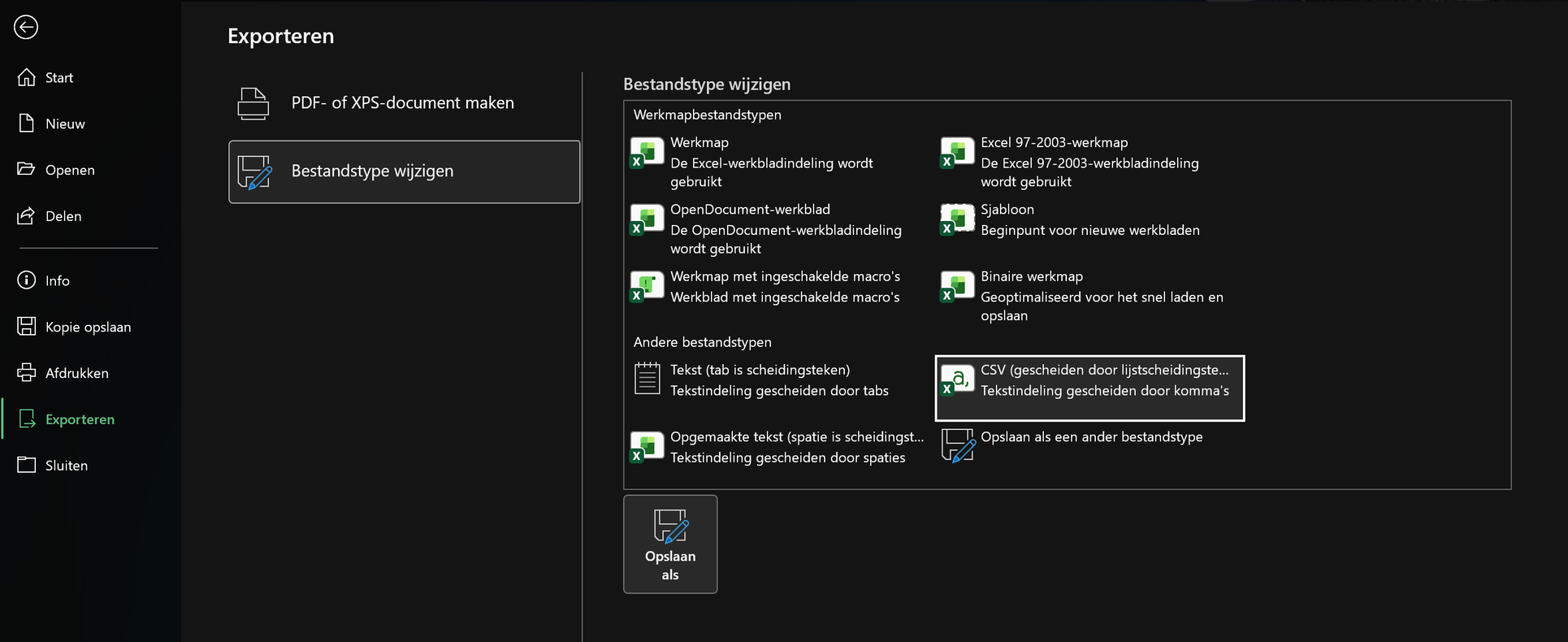
In Excel: File → Export → Change File Type. Pick CSV (Comma delimited) there and click Save As.
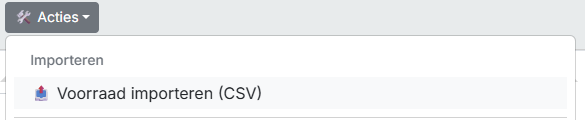
Importing sits under the actions, not under adding a single piece — it is about your whole list at once.
Go to the 📦 tab and click 🛠️ Actions → under Import → 📤 Import stock (CSV).
Your file stays on your own computer. The app only reads the column names and the rows from it, and lets you say what belongs where in the next step.
Choose your CSV file. The mapping screen opens by itself straight after.

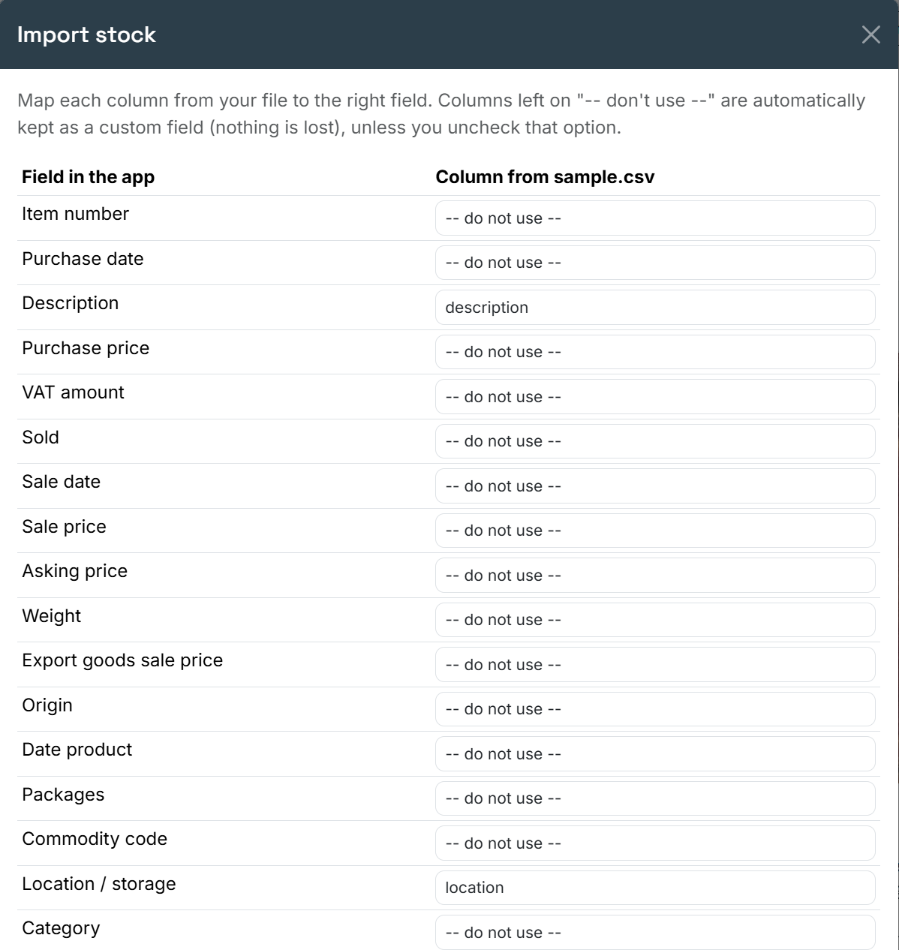
Your column might be called "cost" while the app calls it "Purchase price". This step lets you say what belongs where, instead of guessing. The two boxes under the table are ticked by default because they are usually right: skip duplicates, and keep unmapped columns as your own field. That way nothing from your old list is lost.
Line up each column from your file against the right field. Below the table are two tick boxes: skip duplicates and keep unmapped columns as custom fields. Leave them on if in doubt, then click Import.
If you bought in pounds, your margin will be wrong when those amounts are read as euros. Better done now than piece by piece later.
Tick Convert the purchase price to another currency and fill in the rate. Then click Import.

This is what the typing buys you: you never have to work out what is standing in your warehouse. The figure keeps itself up to date — add a piece, correct a purchase price or sell something, and it follows.
Go to the 📦 tab. At the top sits Stock purchase value, with the number of pieces in brackets and the amount after it. Mind what it says: this is the purchase price of your unsold pieces, not your asking price — what your stock cost you, not what it should bring in.

CSV. That is a plain text version of your table: every program can produce one, and no formatting can break along the way. In Excel you make one through File, then Export, then Change file type, and there you pick CSV separated by list separators.
They are kept as a custom field on the piece. Below the mapping table there are two tick boxes, and this is one of them: keep unmapped columns as a custom field. It is on by default, and it is the reason you lose nothing from your old list.
Not if you leave the skip duplicates box ticked. It is the second box below the mapping table and it is on by default. When in doubt, leave both on: that is right in most cases.
Yes, and do it straight away. Tick Convert purchase price to another currency and fill in the rate before you click Import. If you read pounds in as euros your margin is wrong, and putting that right afterwards is piece-by-piece work.
The purchase price of your unsold pieces, not your asking price. So it is what your stock cost you, not what it ought to bring in. The figure keeps counting along: add a piece, change a purchase price or sell something, and it changes by itself.
These pages are free and will stay that way. If you would rather have someone look at your own stock with you, that is available as paid guidance.