Setting up your business
This is the first thing you do, and then never again. It all lives on one screen: 🏢 Company settings. Give it five minutes — your labels, your invoices and your VAT all hang off it.
-
Open Company settings
Everything about your business sits in one place, so you are not hunting for it later.
Click the menu next to My catalogue at the top right and choose 🏢 Company settings.
 Screenshot to follow
handleiding/zaak-instellen-stap-1-v1.png -
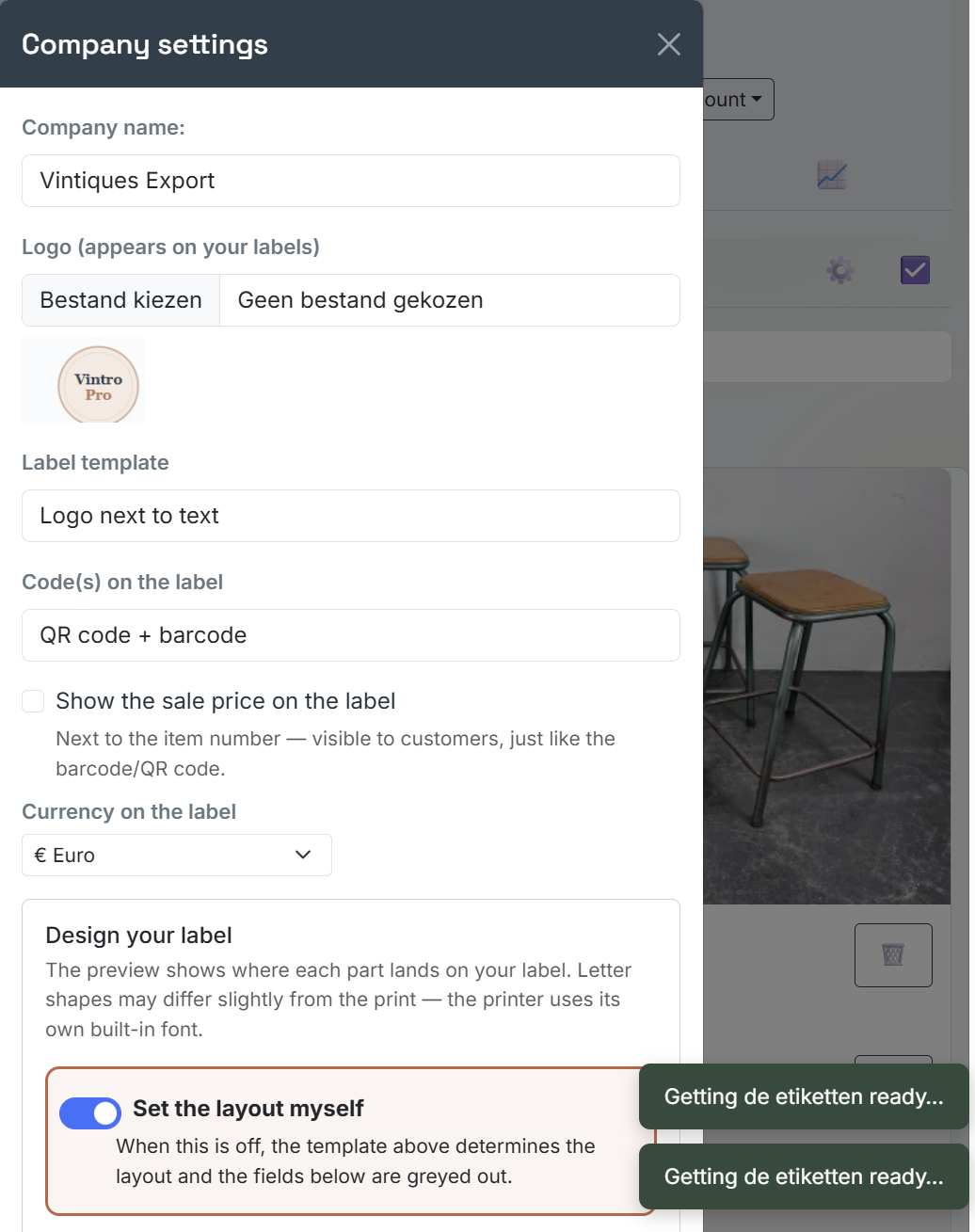
Fill in your business name and logo
Your logo appears on your labels. Without one the label still works, but it does not look like yours.
Fill in Business name and add an image under Logo (appears on your labels).
 Screenshot to follow
handleiding/zaak-instellen-stap-2-v1.png -
Choose your language and country
This choice sets not only the language of the buttons but also that of your documents. The country decides how VAT is calculated.
Set Language of the app and your documents to Nederlands, Français or English, and pick your Country.
 Screenshot to follow
handleiding/zaak-instellen-stap-3-v1.png -
Only fill in the VAT number if it is correct
This field does something real: leave it empty and Belgian VAT is charged. Enter a valid number and VAT is reverse-charged. A number that does not belong there costs you money.
Fill in VAT number — or deliberately leave it blank.
 Screenshot to follow
handleiding/zaak-instellen-stap-4-v1.png -
Say which printer you use
A label printer and an ordinary printer work in completely different ways. The app has to know which one, or nothing comes out.
Under Label printing, choose between Zebra label printer and Ordinary printer (inkjet/laser). Then click Save.
 Screenshot to follow
handleiding/zaak-instellen-stap-5-v1.png
Rather go through it together?
These pages are free and will stay that way. If you would rather have someone look at your own stock with you, that is available as paid guidance.